Project Overview
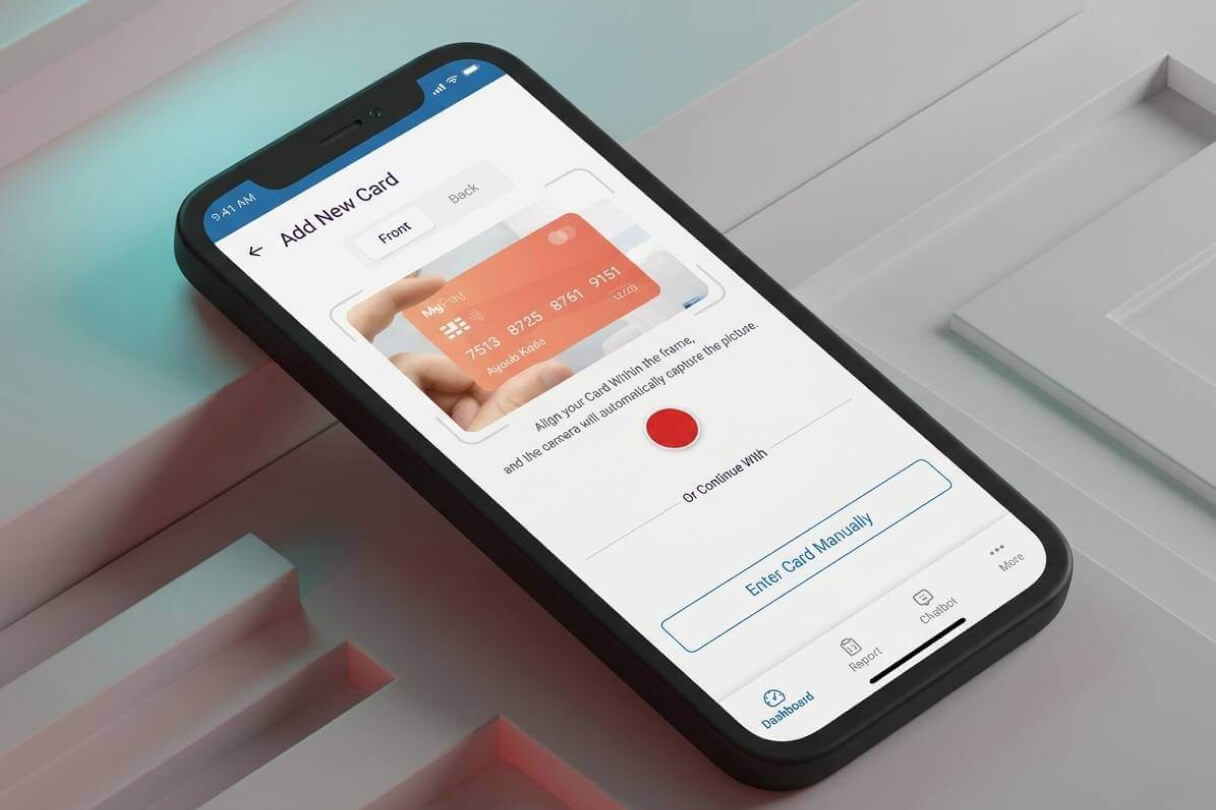
I designed Walletbox, a clean and secure mobile app that helps users manage their payment cards, maximize rewards, and handle everyday wallet tasks with ease. The app includes smooth login/register flows, card management, reward recommendations, and a helpful chatbot — all focused on making digital wallet management simple and rewarding.
My Role
I worked as the sole UX/UI designer on this project. I was responsible for the entire experience from start to finish:
- Designed the full user flow for authentication and card management
- Created all screens including login, registration, dashboard, and chatbot
- Built an interactive prototype to demonstrate the complete journey
- Focused on security, simplicity, and a modern, trustworthy feel
The Challenge
Managing multiple credit cards and tracking rewards can quickly become messy and overwhelming for users.
The main challenges were:
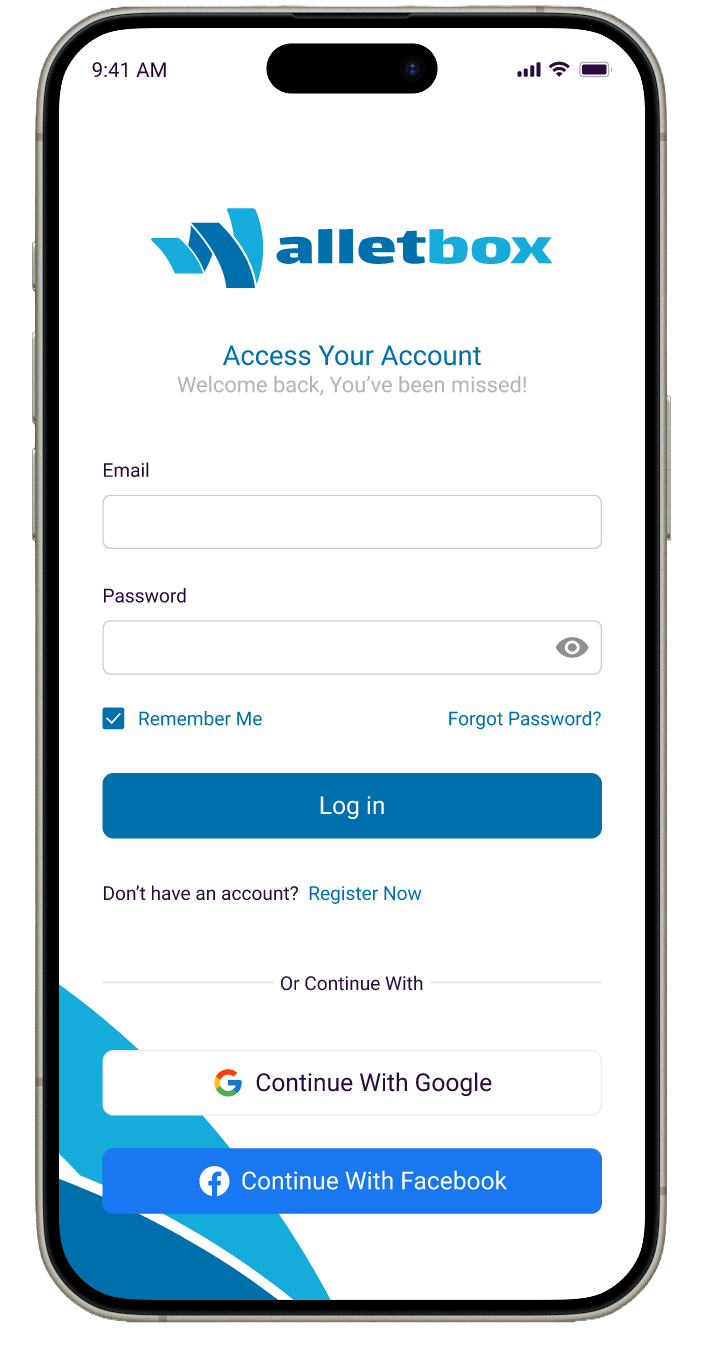
- Creating a secure yet simple login and password reset experience
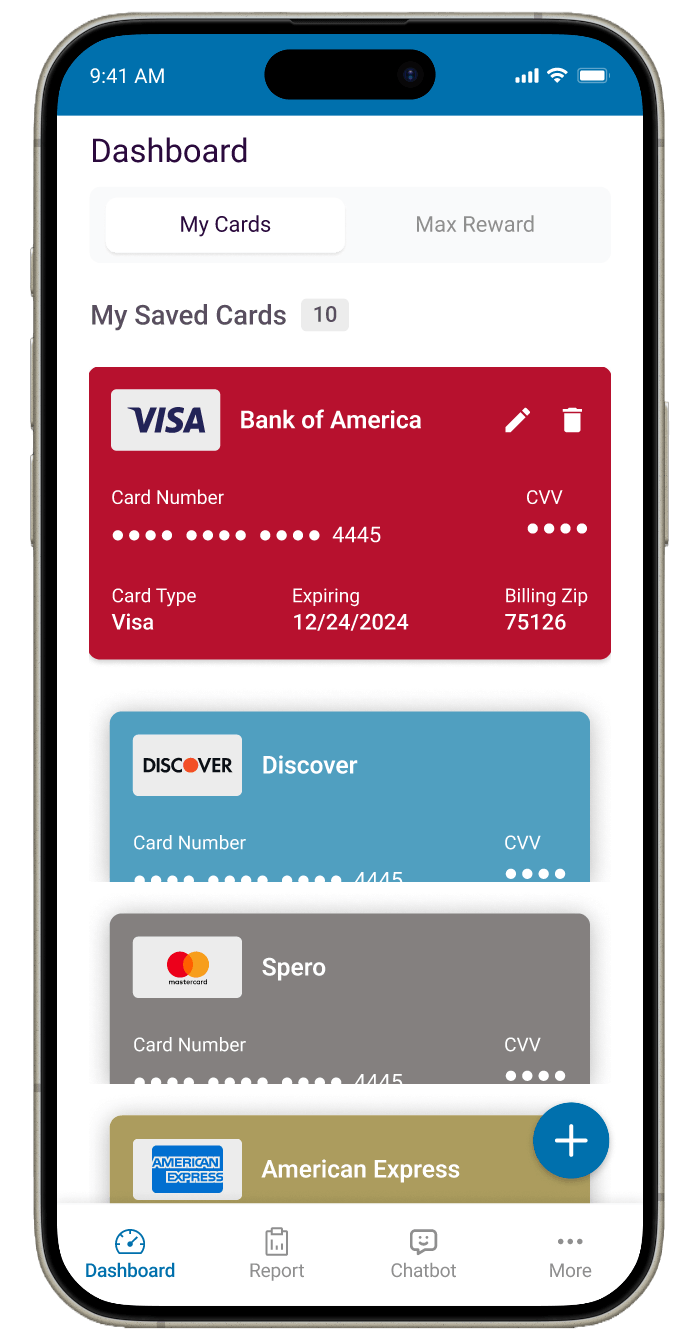
- Making it easy to add, view, edit, and delete saved cards
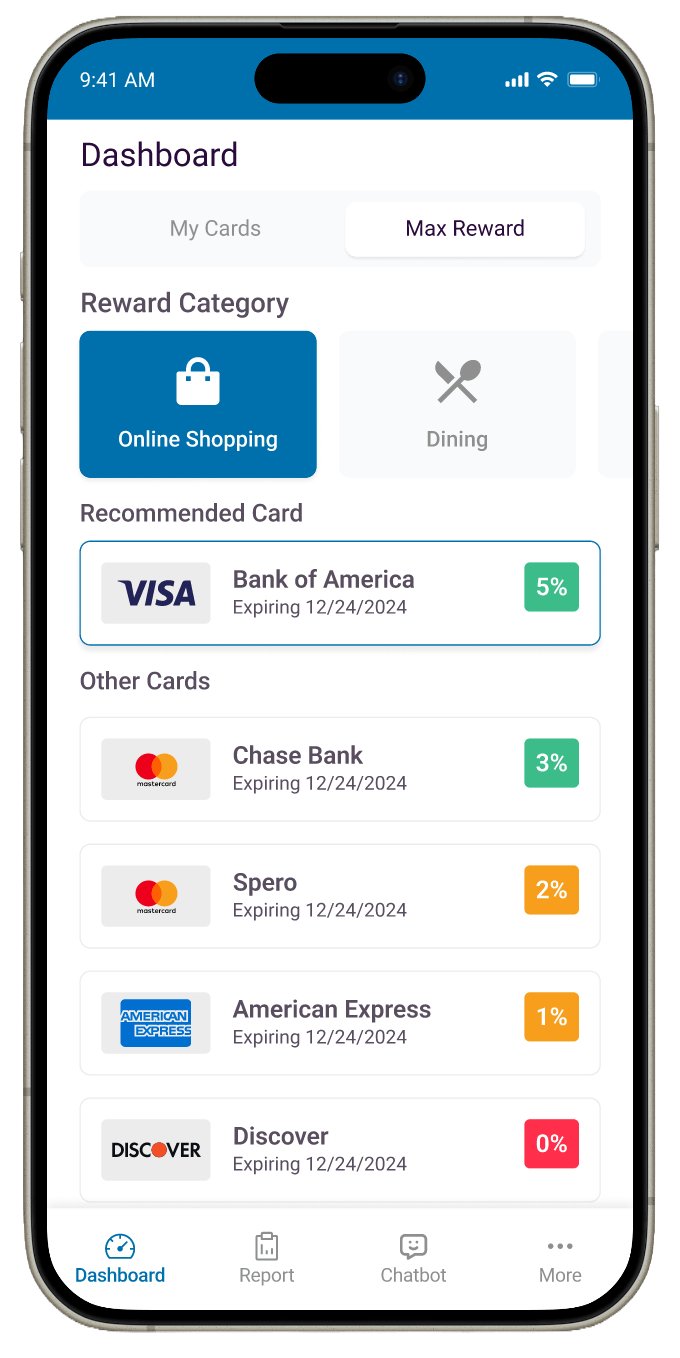
- Helping users quickly find which card gives the best rewards for their spending
- Designing a friendly chatbot that actually feels useful instead of robotic
User Research
I researched popular wallet and banking apps like Apple Wallet, Google Pay, and reward-focused apps to understand current best practices. I also looked at common user frustrations with card management — such as complicated forms, unclear reward info, and lengthy verification steps.
Key insights:
- Users want fast and secure login options (including social login)
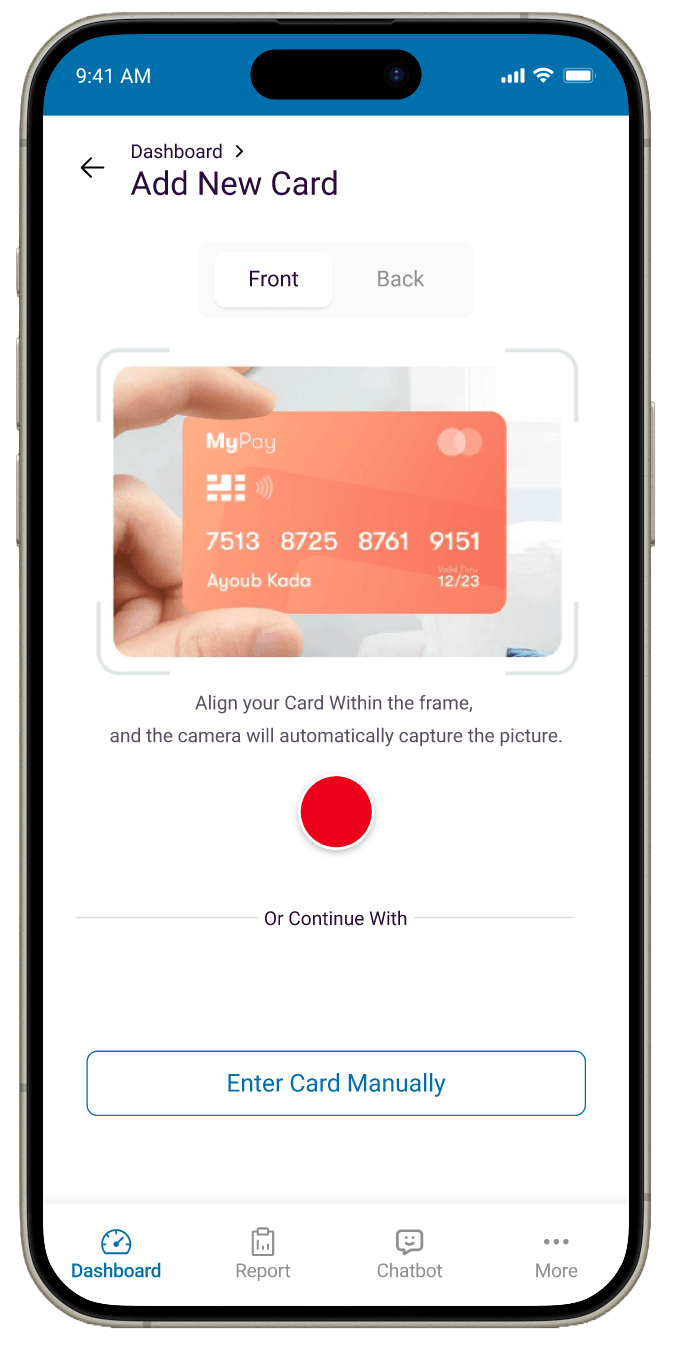
- Card scanning and manual entry should both feel effortless
- Reward suggestions work best when they feel personalized and simple
- Clear visual hierarchy is essential when displaying sensitive card information
The Solution
The final design delivers a modern, blue-toned interface that feels secure and approachable.
Key features include:
- Simple login, registration, and password reset flows with social login options
- Secure verification step after forgot password
- Clean dashboard showing saved cards with easy edit/delete options
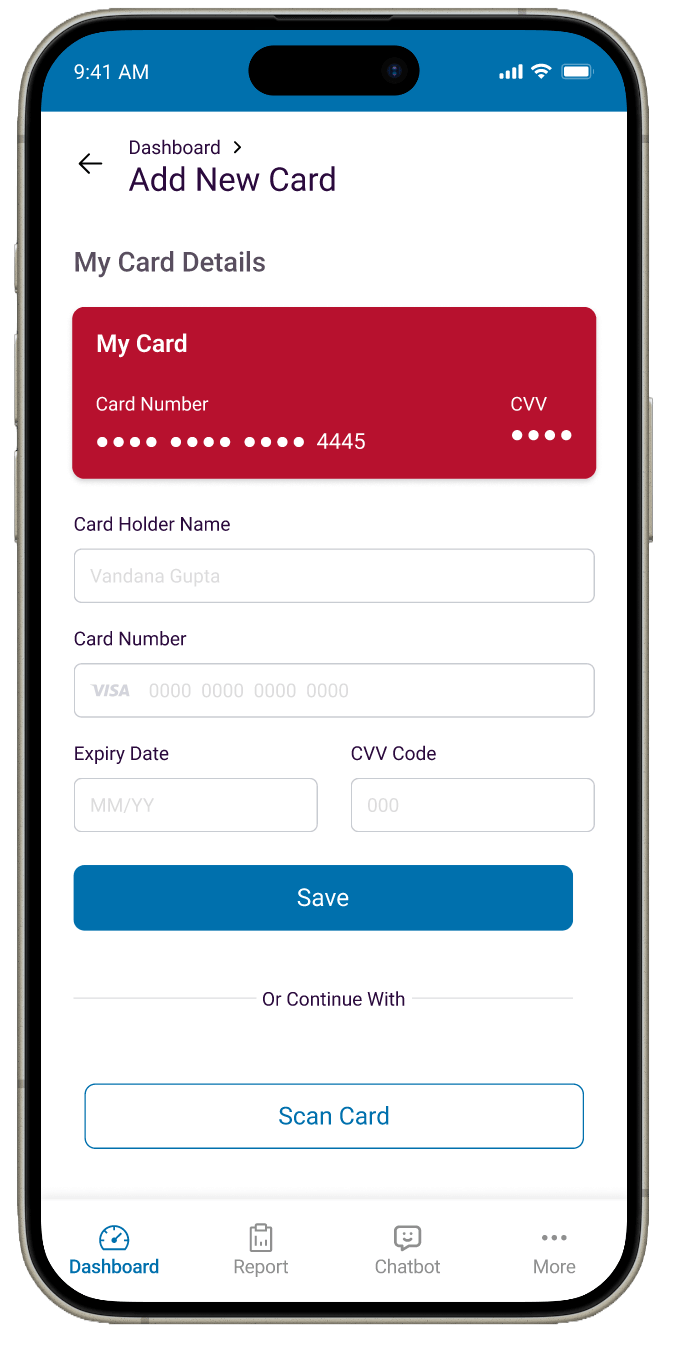
- Smart “Add New Card” screen supporting both scanning and manual entry
- Reward category selector with personalized card recommendations
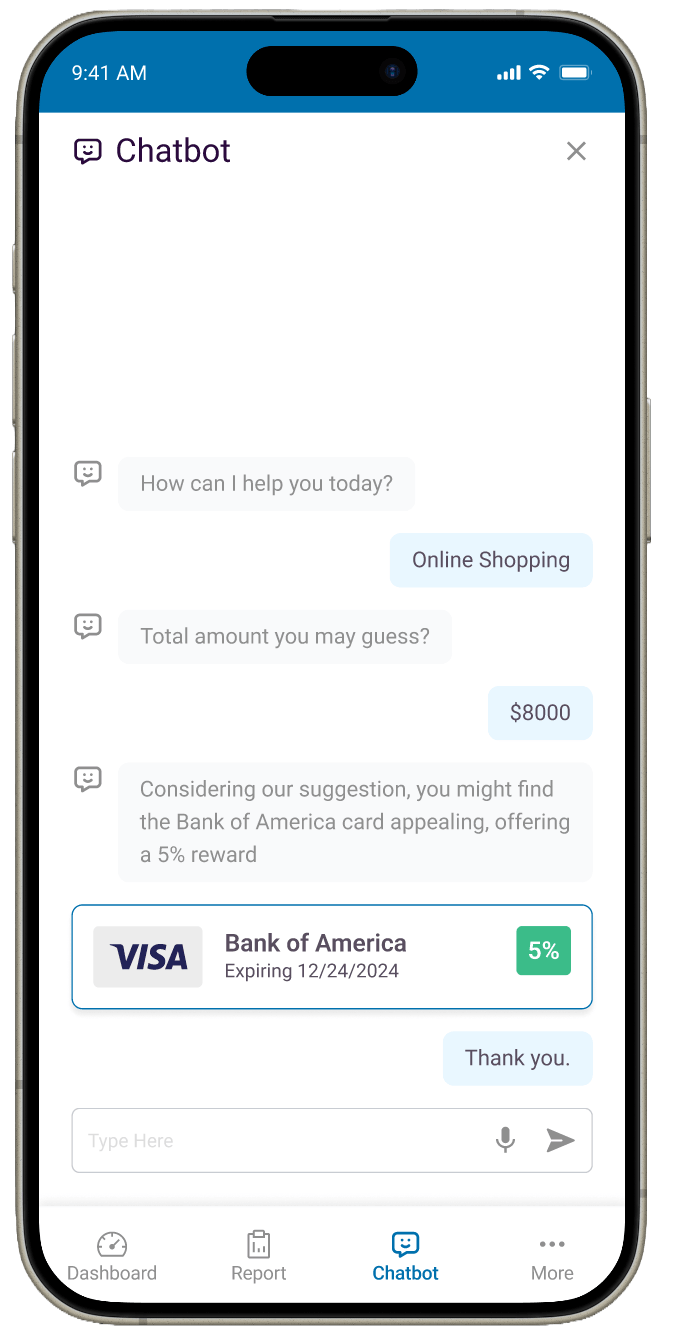
- Friendly chatbot that suggests the best card based on spending habits
Design Evolution
Early versions felt a bit too plain and text-heavy. As the design progressed, I made several improvements:
- Introduced a consistent blue color scheme with clear card-themed visuals
- Made card displays more scannable with better use of color and icons
- Simplified forms and added helpful micro-copy for better guidance
- Improved the chatbot layout to feel more like a natural conversation
The interface evolved into something that feels premium, secure, and easy to use every day.
Results & Impact
Since this was a concept project, I evaluated success through flow clarity and usability feedback. Testers found the app intuitive and appreciated how quickly they could add and manage cards.
They especially liked:
- The smooth login and password recovery experience
- How easy it was to scan or manually add new cards
- The simple reward suggestions that felt genuinely helpful
Overall, Walletbox creates a trustworthy digital wallet experience that reduces friction while helping users get more value from their cards.