Project Overview
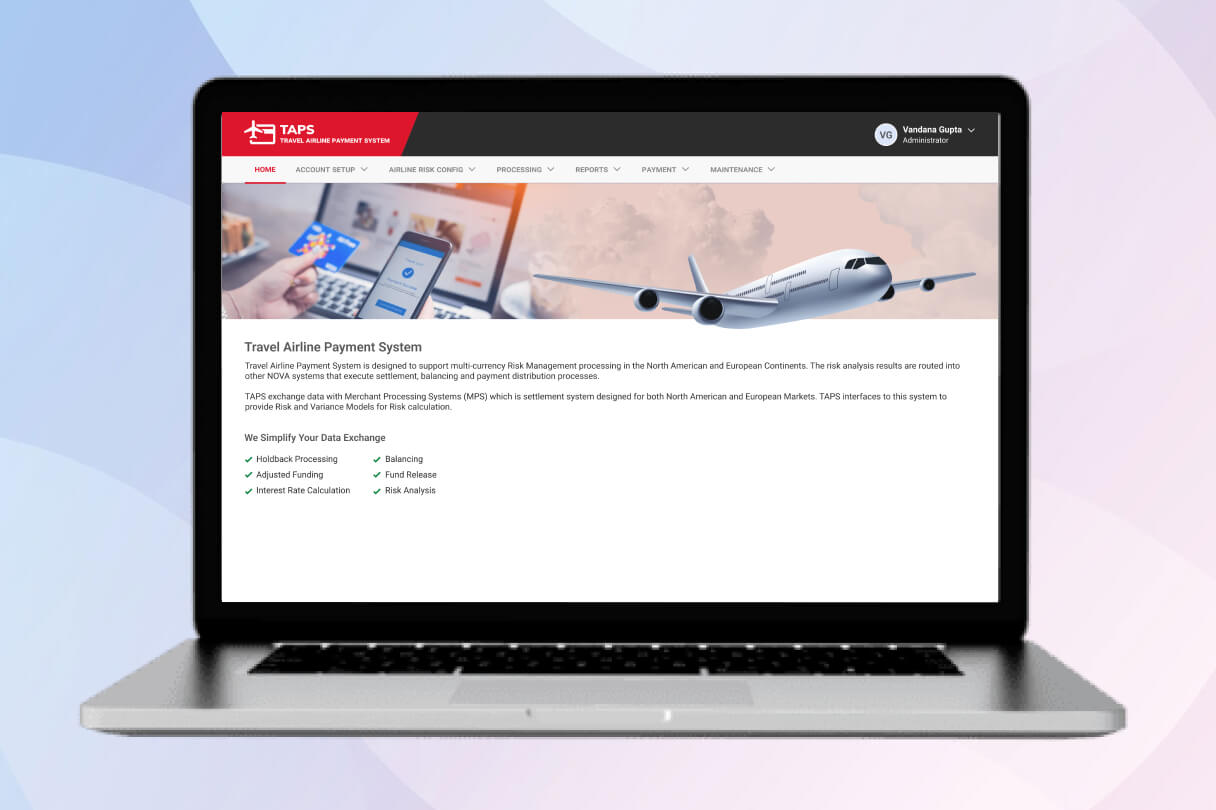
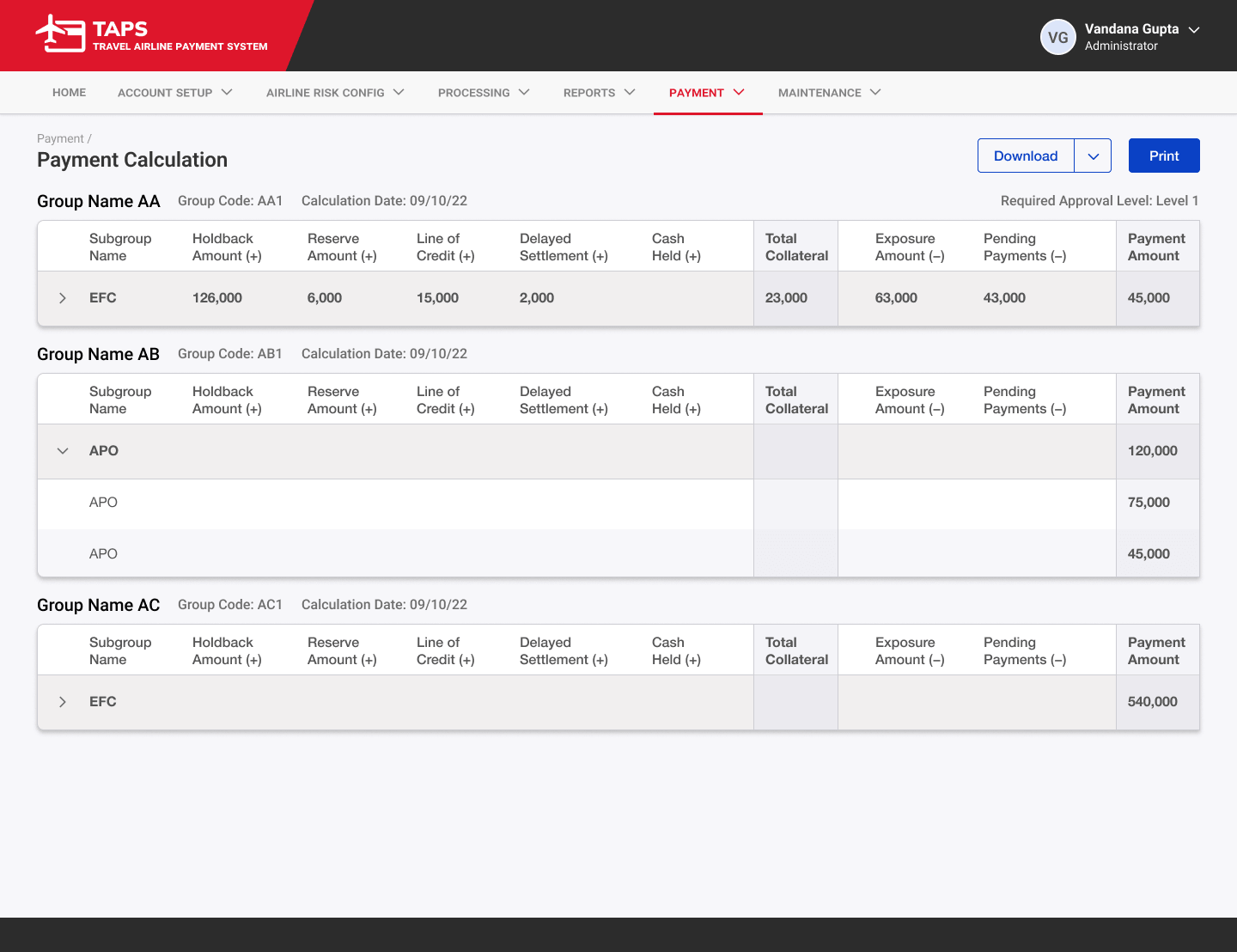
TAPS (Travel Airline Payment System) is an internal enterprise web application designed to handle multi-currency risk management, payment processing, and financial adjustments for airlines across North America and Europe. The system supports complex workflows including account setup, risk configuration, file uploads, report generation, and payment calculations. It integrates with Merchant Processing Systems (MPS) to manage holdbacks, balancing, fund releases, and risk analysis — helping airlines process payments efficiently and securely.
My Role
As the UX Designer, I was responsible for designing a clean, intuitive, and efficient interface for this complex financial system used by administrators and internal teams.
- Designed the overall navigation structure, dropdown menus, and dashboard layouts
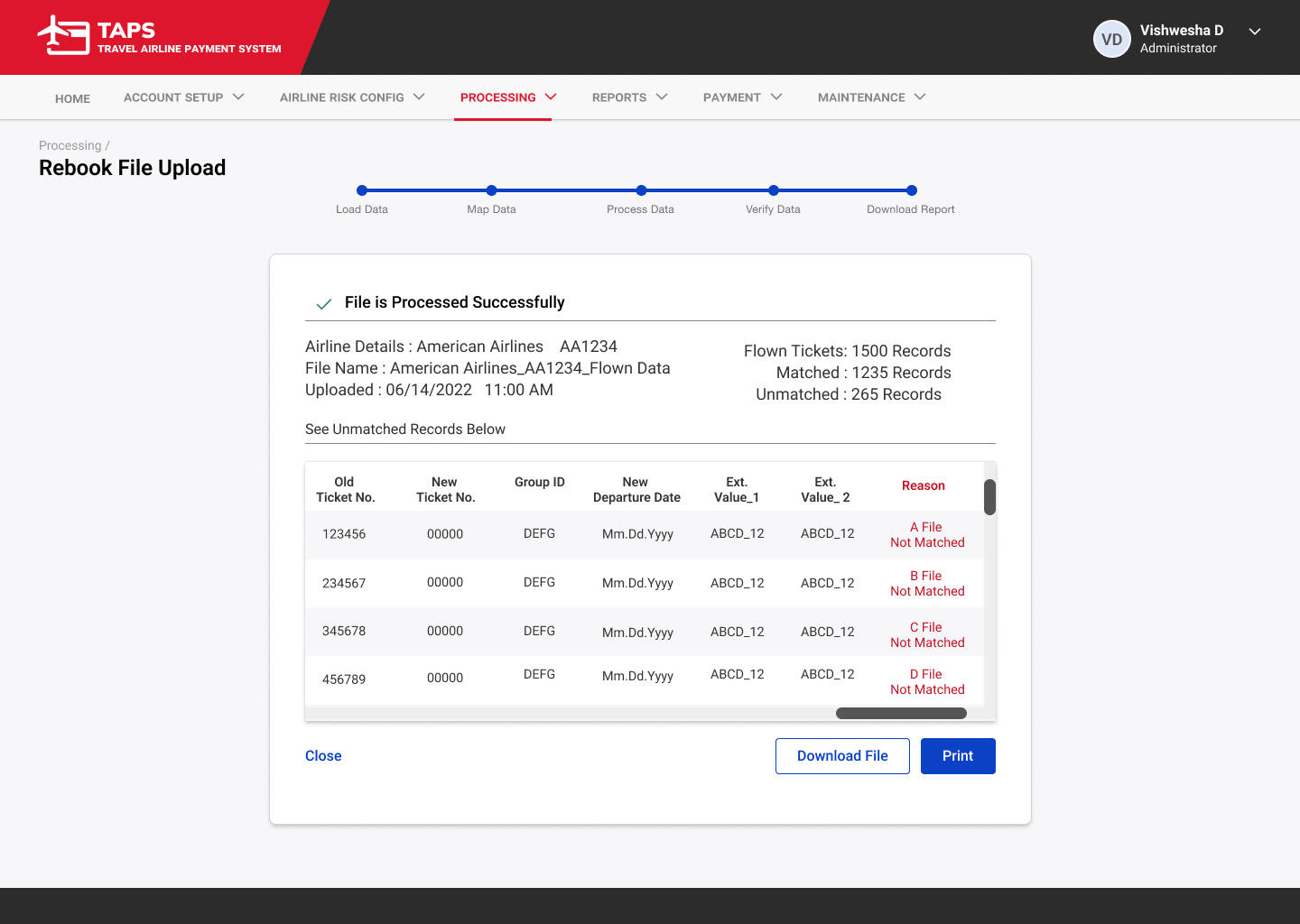
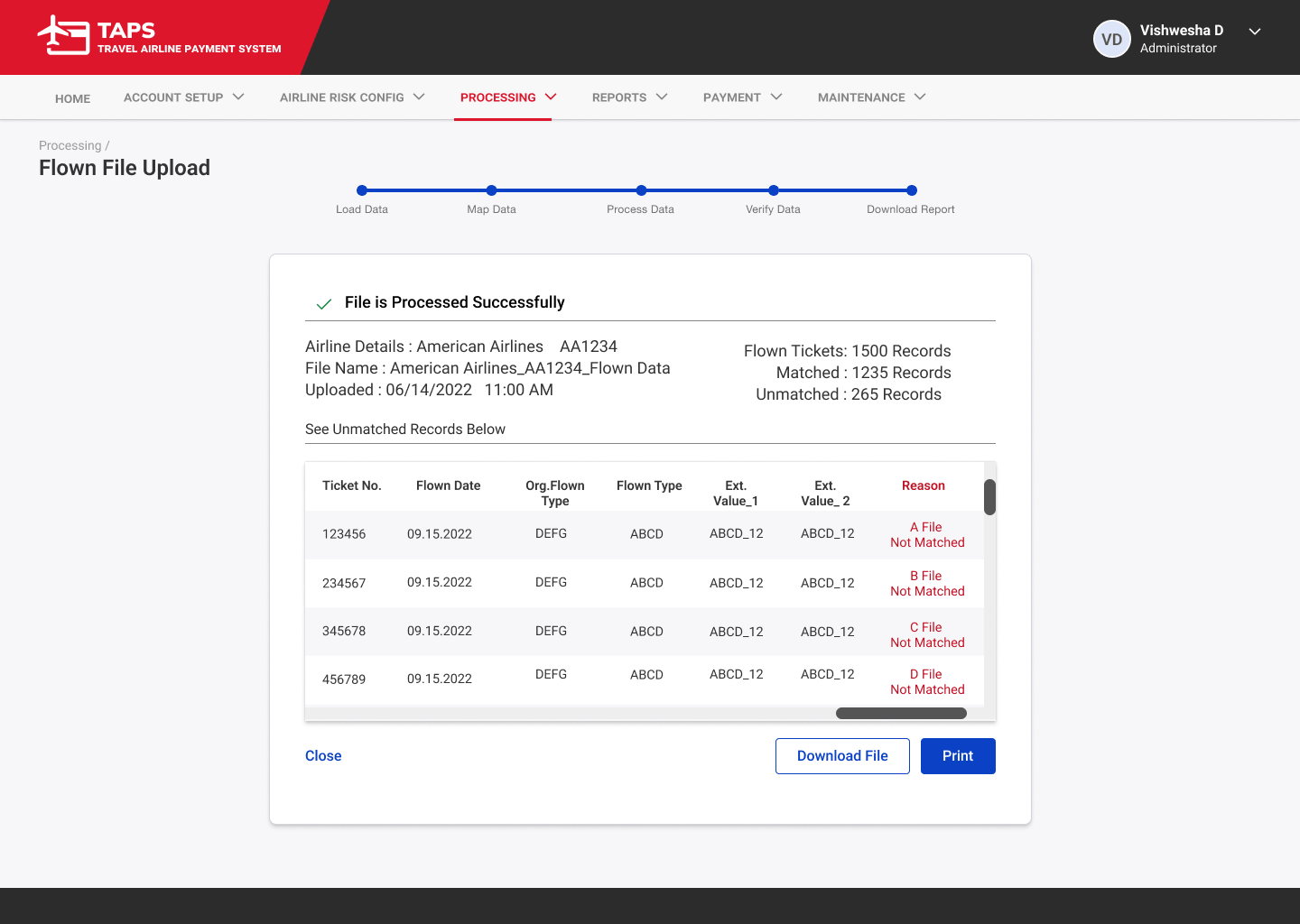
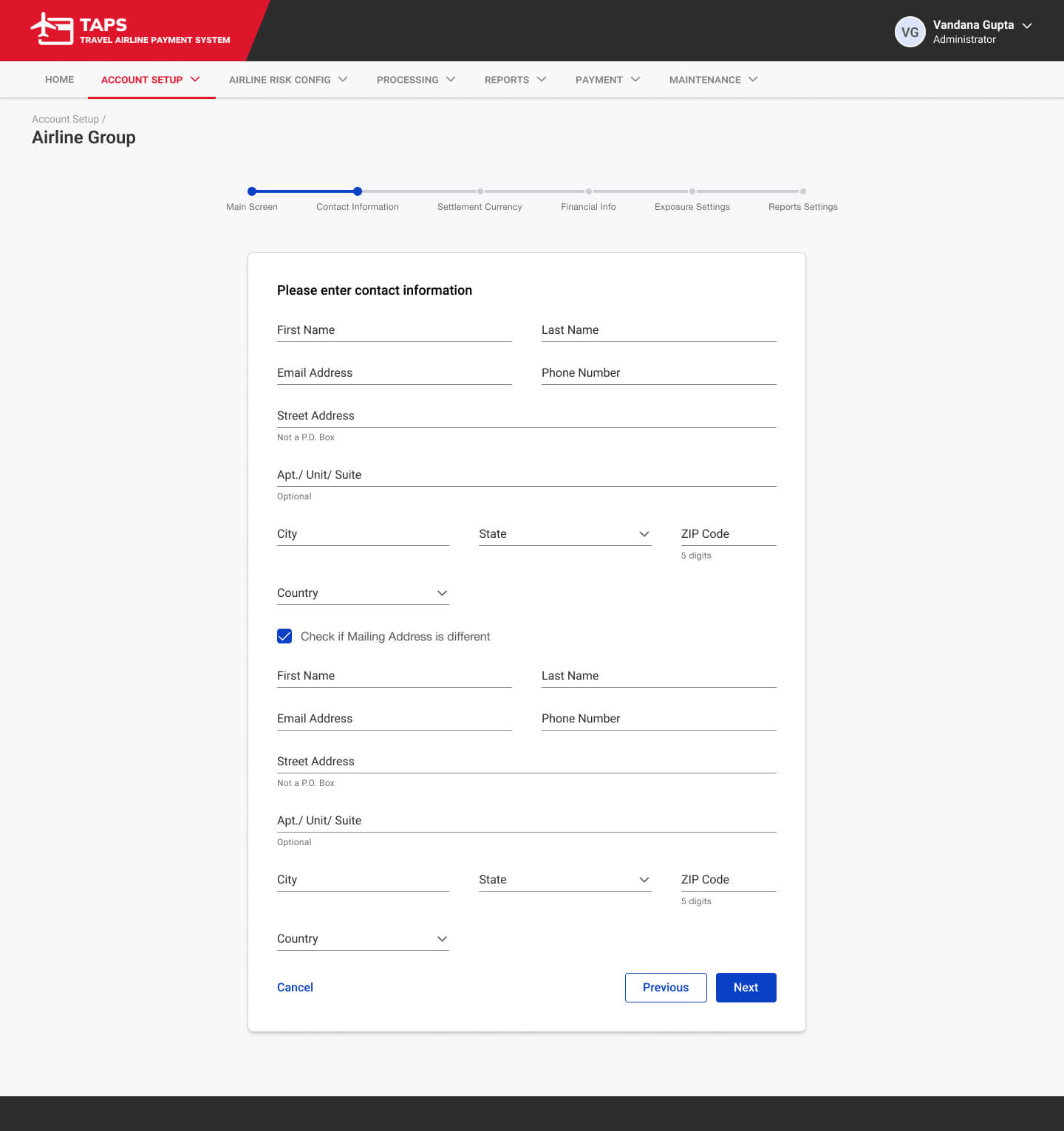
- Created user-friendly data tables, forms, and multi-step wizards (e.g., Flown File Upload)
- Ensured consistency across modules like Account Setup, Airline Risk Config, Processing, Reports, and Payment
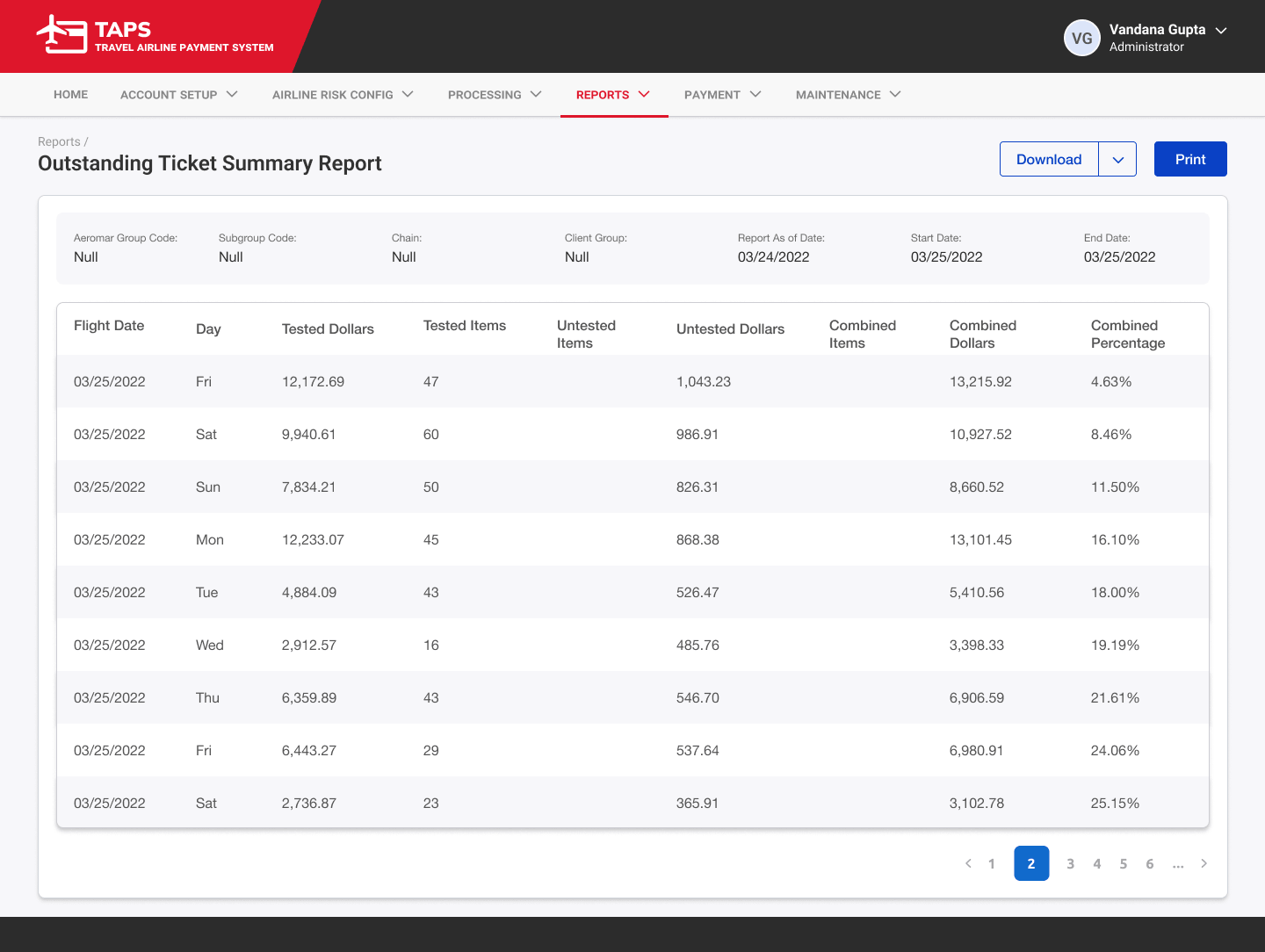
- Focused on making dense financial data easy to scan, filter, and act upon
The Challenge
Enterprise systems like TAPS often become overwhelming due to the high volume of data, multiple user roles, and intricate financial workflows. Users needed to quickly set up airline entities, manage risk adjustments, upload files, generate reports, and approve payments without getting lost in complex screens or inconsistent interactions.
Key challenges:
- Creating clear navigation for 6+ major modules with nested sub-options
- Designing data-heavy tables that remain scannable and actionable
- Building intuitive multi-step processes (e.g., file upload workflow)
- Maintaining consistency across forms, dropdowns, and reports
User Research
My Research Process
- Analyzed user roles (Administrator, Internal/External Users) and their daily tasks
- Mapped out key workflows such as Parent Entity setup, Misc Adjustment, Mass Cancellation, Flown File Upload, and Payment Calculation
- Reviewed similar enterprise financial systems for best practices in handling large datasets and approval flows
- Identified pain points around information density, navigation depth, and data entry
The Solution
The final design delivers a professional, modern interface with a clear information hierarchy and consistent interaction patterns:
- Intuitive top navigation with relevant dropdown menus for each module
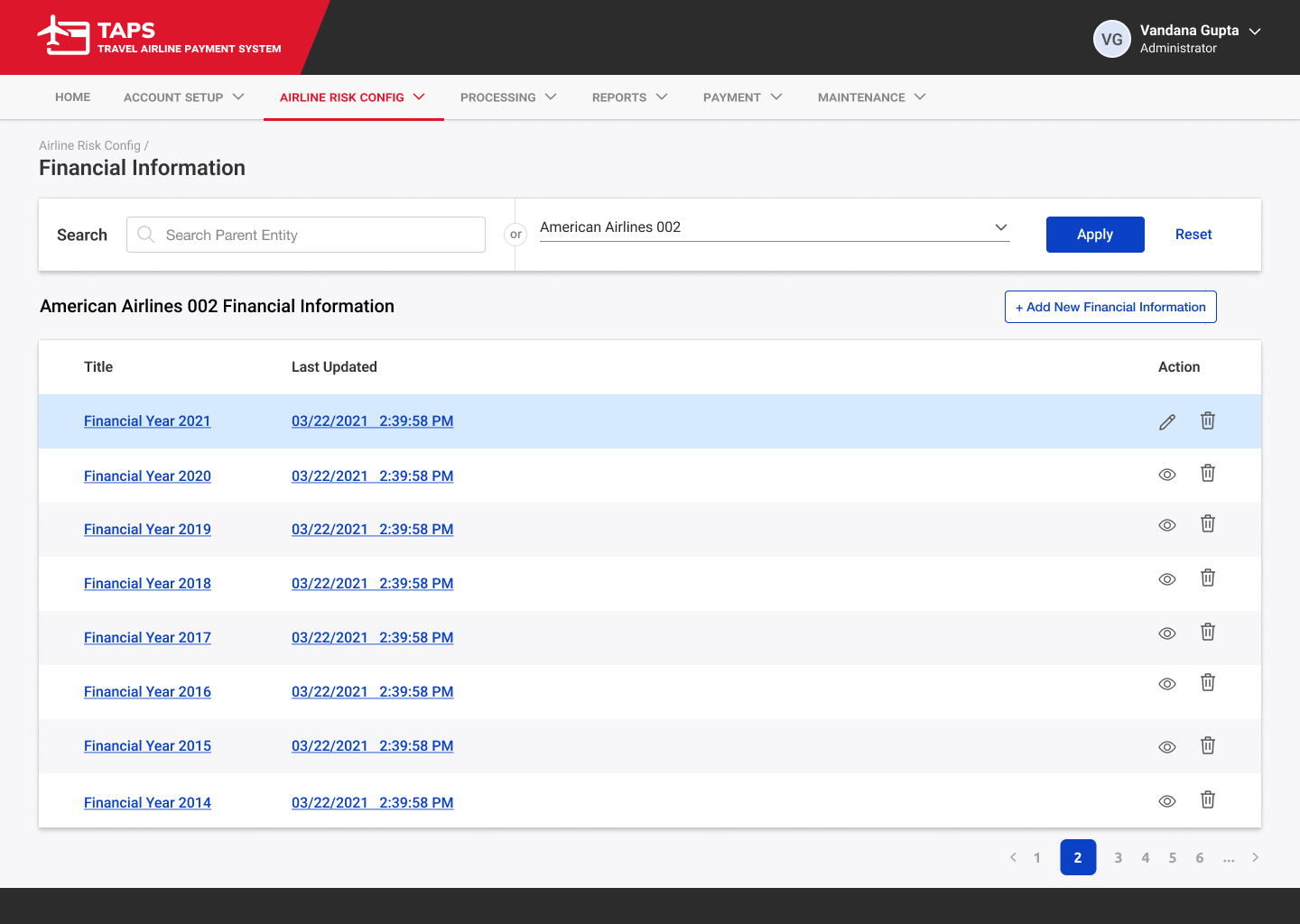
- Clean, scannable data tables with search, filters, bulk selection, and quick actions (edit/delete)
- Multi-step wizard for complex processes like Flown File Upload
- Consistent styling for forms, reports, and action buttons
- Helpful summaries and visual indicators for financial data
Core Features
Intuitive top navigation with relevant dropdown menus for each module
Clean, scannable data tables with search, filters, bulk selection, and quick actions (edit/delete)
Multi-step wizard for complex processes like Flown File Upload
Consistent styling for forms, reports, and action buttons
Helpful summaries and visual indicators for financial data
Design Evolution
The design evolved from simple wireframes to a polished, cohesive interface:
- Refined dropdown menus to clearly show hierarchy (e.g., Account Setup → Parent Entity, Region, Airline Group)
- Improved table readability with alternating row colors, checkboxes, and prominent action icons
- Added clear progress indicators and step labels in wizards
- Strengthened visual consistency in buttons, cards, and report layouts
- Enhanced accessibility and scannability for dense financial information
Results & Impact
The redesigned TAPS interface significantly improves usability for airline payment and risk management teams. Users can now navigate complex modules more confidently, process data uploads efficiently through guided steps, and quickly access critical reports and payment calculations. The clean, consistent design reduces cognitive load and minimizes errors in high-stakes financial workflows.
This project helped create a professional enterprise tool that feels both powerful and approachable.